PCB Training is the process of learning the fundamentals of Printed Circuit Board (PCB) design and manufacturing. It involves learning the basics of schematic design and layout, component selection, circuit design, testing, and other related topics. The training is typically offered by private companies, universities, and professional organizations. It typically includes hands-on experience in the design and fabrication of PCBs, as well as exposure to the latest tools and technologies used in the industry.
-
 Introduction to PCB design: Definition, importance, applications, and types of PCBs.
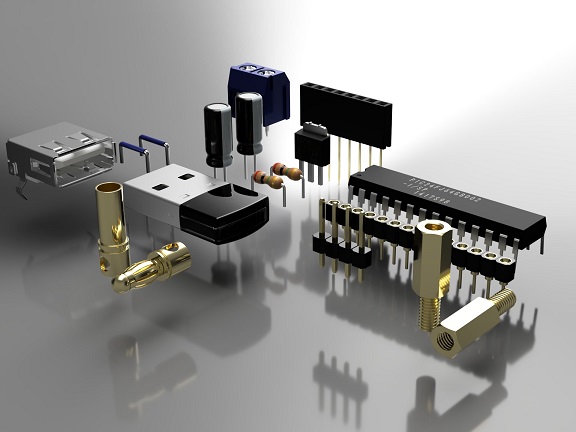
 - Components and their functions: Overview of electronic components used in PCB design, such as resistors, capacitors, transistors, and integrated circuits.
- PCB layout principles: Explanation of basic layout principles, including component placement, trace routing, layer stack-up, and power distribution.
- PCB design software:Overview of popular PCB design software, such as Altium Designer, Eagle PCB, and KiCAD, and a comparison of their features and capabilities.
- Schematic capture:Step-by-step instructions on how to create a schematic for a PCB, including how to place and connect components, define power and ground connections, and add annotations.
- Layout and routing:Detailed instructions on how to layout and route the components on a PCB, including tips and best practices for avoiding errors and ensuring signal integrity.
- Grounding and power distribution:Explanation of grounding and power distribution principles, including why they are important, how to design and implement them, and how to verify their effectiveness.
- Design verification and testing:Overview of design verification and testing methods, including simulation, signal integrity analysis, and EMI/EMC analysis.
- Manufacturing and fabrication:Explanation of the PCB manufacturing process, including file preparation, drilling, plating, and assembly, and how to specify and control the various parameters involved.
- Project-based learning:Hands-on projects and exercises that allow students to apply what they have learned and reinforce their understanding of the concepts and techniques covered in the course.
- Resources:Links to additional resources, such as PCB design standards, industry forums, and online communities, that students can use to further their knowledge and skills.